
Never Lost in Translation with TYPO3
TYPO3 CMS provides the tools to manage multilingual content and localize websites for global audiences.

Localized Websites with TYPO3
Speaking to a global audience requires more than simple translation, it demands a platform that understands content and the nuances of localization. With TYPO3’s built-in multilingual support, you can easily manage single or multi-site setups and deliver consistent, high-quality experiences across languages and regions.
TYPO3 enables you to scale globally while delivering locally relevant content. With multilingual capabilities and localization built into the content creation process, your workflows become more streamlined, efficient, and impactful, helping you connect with every audience, regardless of the language.
TYPO3's backend natively supports 60 languages, allowing editors to work in their preferred language without additional extensions. Combined with granular user permissions for content areas, page trees, and modules, this makes TYPO3 ideal for distributed, multilingual editorial teams.
TYPO3 empowers regional teams to manage and localize content for their specific audiences, while maintaining alignment with a central brand strategy. This balance of flexibility and oversight ensures consistent messaging across your entire global web presence.
Translation doesn't require leaving TYPO3 or briefing an external tool. Extensions with tools like DeepL bring AI-powered translation directly into the backend editing interface — editors trigger a translation from within the content element they're working on, review and adjust the AI output, and publish, all without a tool switch or an external agency round-trip.
TYPO3 isn't scaling multilingual, multisite setups in theory, it runs them in production. From major universities, to global NGO's and public sector institutions. For a decision-maker evaluating whether a platform will hold up at their organization's scale, that's concrete evidence — not an adjective.
Partner Agencies
TYPO3 Partners delivering tailored expertise to brands looking to expand their global presence



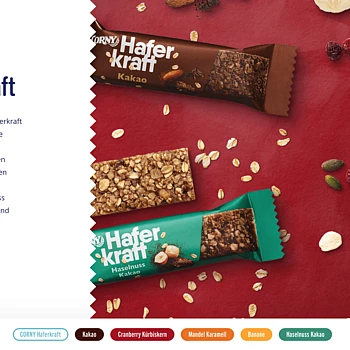
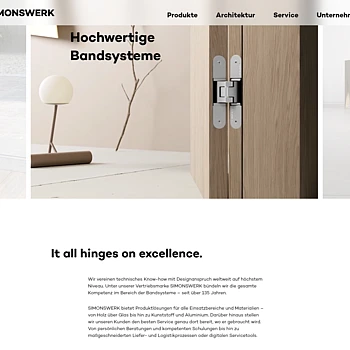
Case Studies
Success stories in internationalization and localization with TYPO3




Get in Touch
We’re here to support you in building more inclusive digital experiences.
To set up a multilingual website in TYPO3, add each language in the site configuration and translate pages through the backend’s translation wizard. Each language gets a locale, an hreflang value, and fallback settings. All language versions share one page tree, so editors manage them in one interface.
TYPO3 offers connected, copy, and free translation modes: connected keeps translations linked to the source, copy creates independent copies, and free allows elements in any language. Connected mode tracks changes to the original and requires each element to exist in the source language first. Free mode suits locale-specific promotions. The mode can be set per page.
When content isn’t translated, TYPO3 follows the fallback type set in the site’s language configuration: strict, fallback, or free. Strict hides untranslated content, fallback fills gaps from a defined language chain, and free loads only records in the target language.
Yes, TYPO3 handles regional variants by treating each variant as its own language with a defined fallback chain, for example German as the fallback for Swiss German. For locale-specific promotions, free mode adds content in a single region without translating it everywhere.
Yes, TYPO3 can hide a new language from website visitors while editors work on drafts. Once translations are complete, the language is published, so a new market launches without exposing half-finished pages.
Yes, TYPO3 supports right-to-left languages such as Arabic, including mixed writing directions and different character sets. Editors can also choose a right-to-left backend language as their personal setting. In 2024, the community added Hebrew to TYPO3’s translation project.
Yes, TYPO3’s SEO extension adds hreflang tags automatically for multilingual websites, configured in the site settings. Together with automatic canonical tags and an XML sitemap, this tells search engines which language versions exist and which to show in each market.
For most TYPO3 websites, one page tree for all languages (the one-tree approach) works best because translations stay connected to the original. Editors see what is translated at a glance. Multi-tree setups give each locale more independence but disconnect translations. TYPO3 supports both; Dermapharm uses both across its brand sites.
TYPO3 translates content automatically through extensions such as DeepL Translate, which works inside the backend translation wizard for pages, content elements, and records. The extension is maintained by web-vision, supports TYPO3 v13 and v14, and requires a DeepL API key. TYPO3 14’s core provides the workflow but no translation engine; editors should review machine translations before publishing.
More use cases

Integrations
Extend TYPO3 effortlessly with powerful integrations. Sync with CRM, analytics, and marketing platforms to streamline workflows and enhance digital operations.

Performance & High Traffic
Keep your digital presence fast, stable, and secure. TYPO3’s architecture ensures high-performance, and fast content delivery for even high-traffic environments.

Marketing Automation
Deliver targeted content, boost engagement, and drive traffic to your page with TYPO3's marketing automation features. From landing page creation to analytics, align campaigns across channels with ease.